
Notifications
You do not have any new notifications!
All Notifications
Instructions for Creating Gifts
Simple steps to create and send a meaningful gift
Detailed instructions
The process of creating an e-gift on NDHGift is intuitive and easy. It only takes you less than 3 minutes to design and send the best wishes to your loved ones.
Choose a gift model
Explore a variety of interfaces
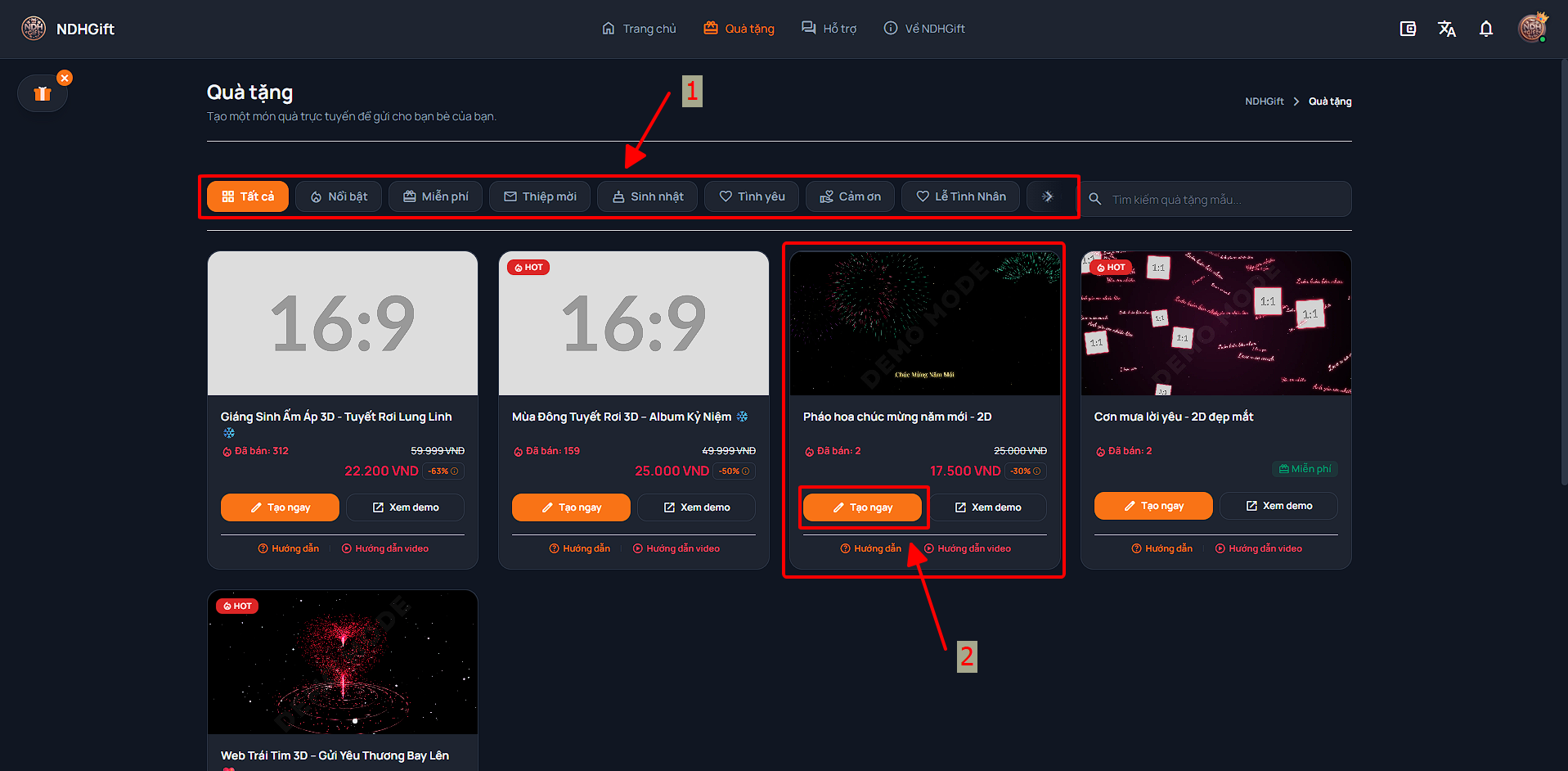
Visit the page List of gift samples . Here, you can look through all the topics, or filter by categories such as: Birthday, Anniversary, Love, Thank You... Click the "Create now" button on the template you like best.
Personalize content
Fill in greeting information and images
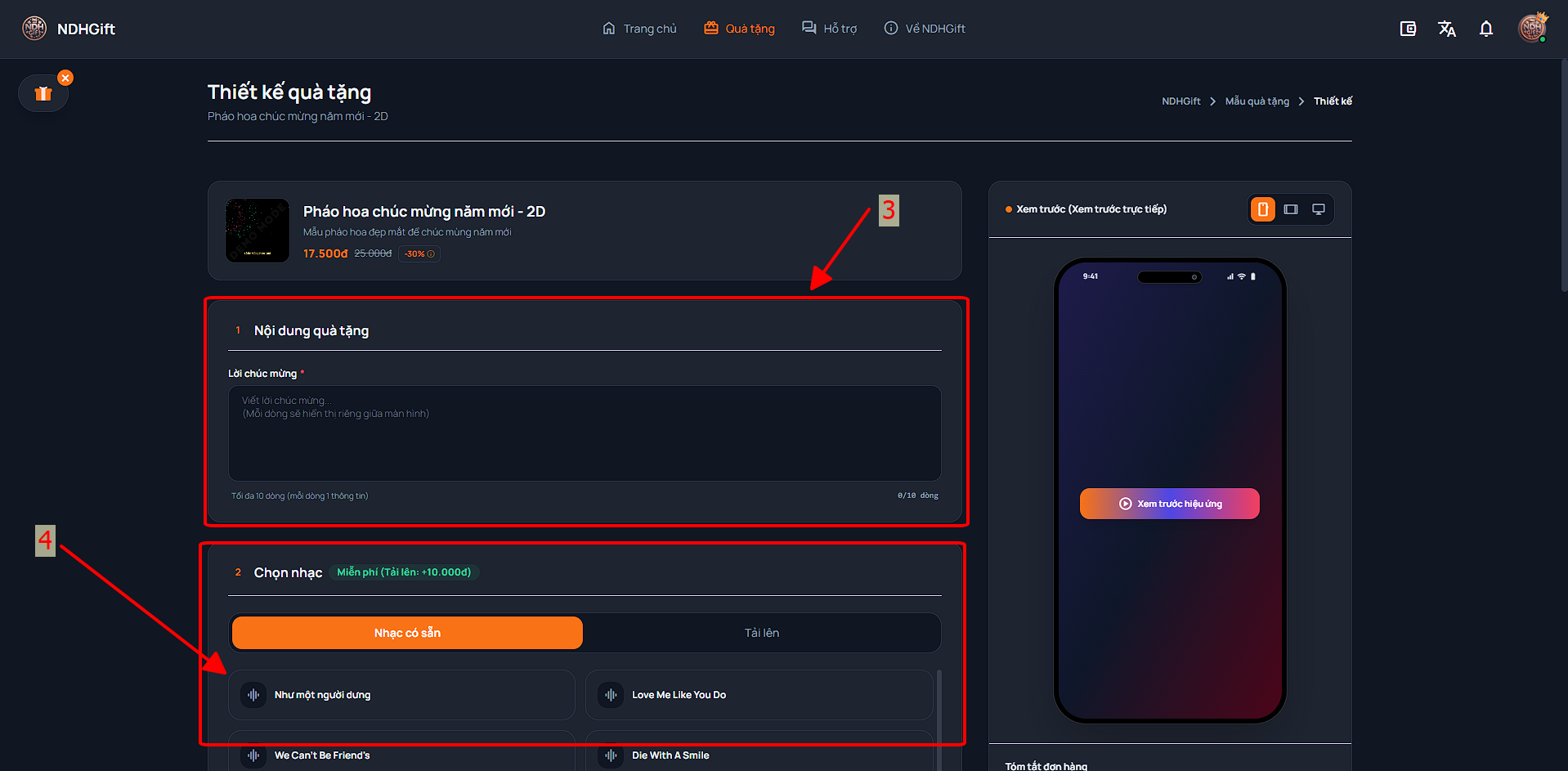
In this step, the system will display a form for you to fill in information such as: Recipient's name, Wishes, Personal image (if required by the form), and background music song. Upload your best photos and write heartfelt words.
Preview the gift
Check the actual interface again
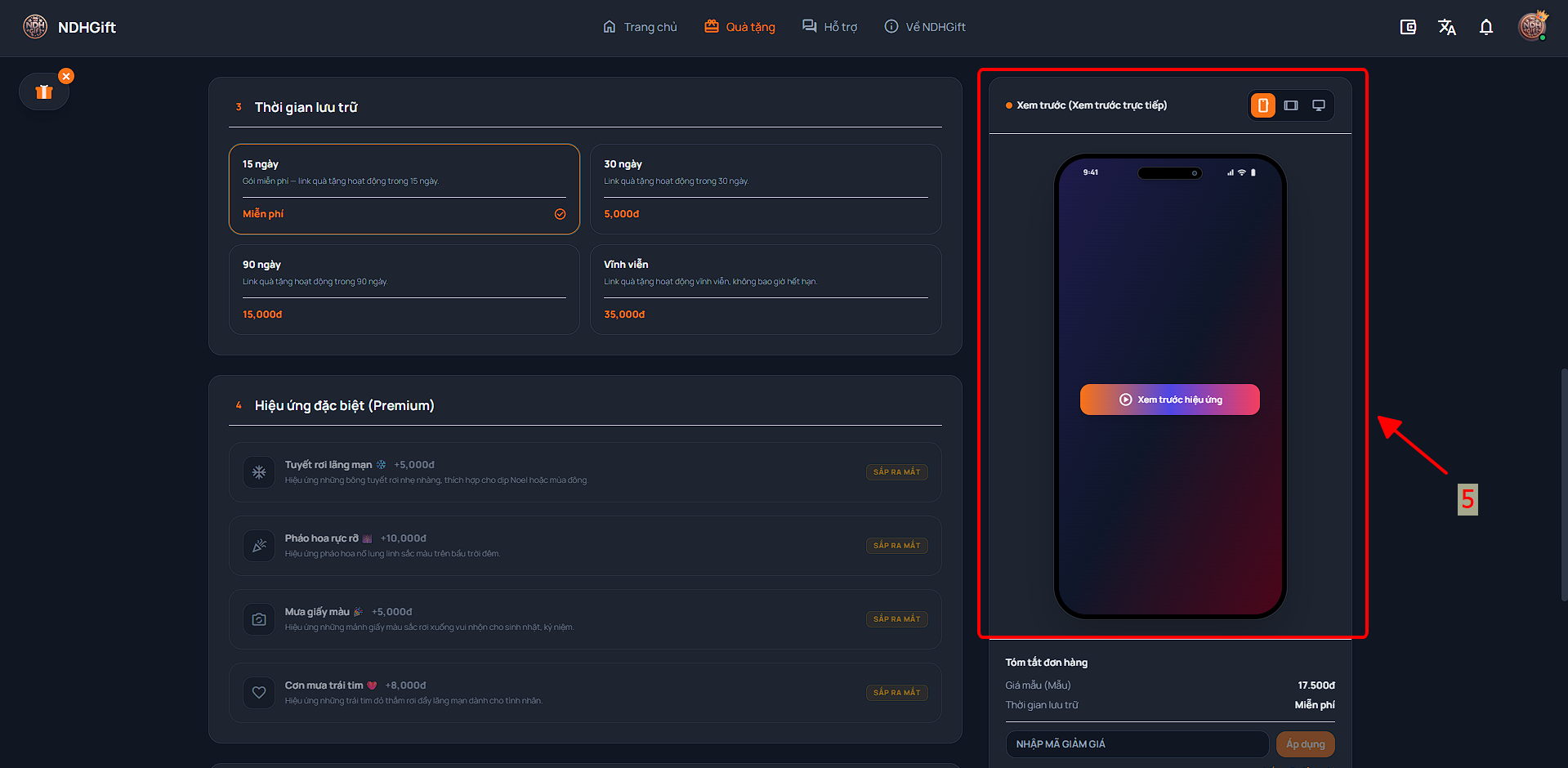
Once you've entered your information, you can tap "Preview" to experience the gift exactly as the recipient will see it.
Pay & Share
Complete and send the link to the recipient
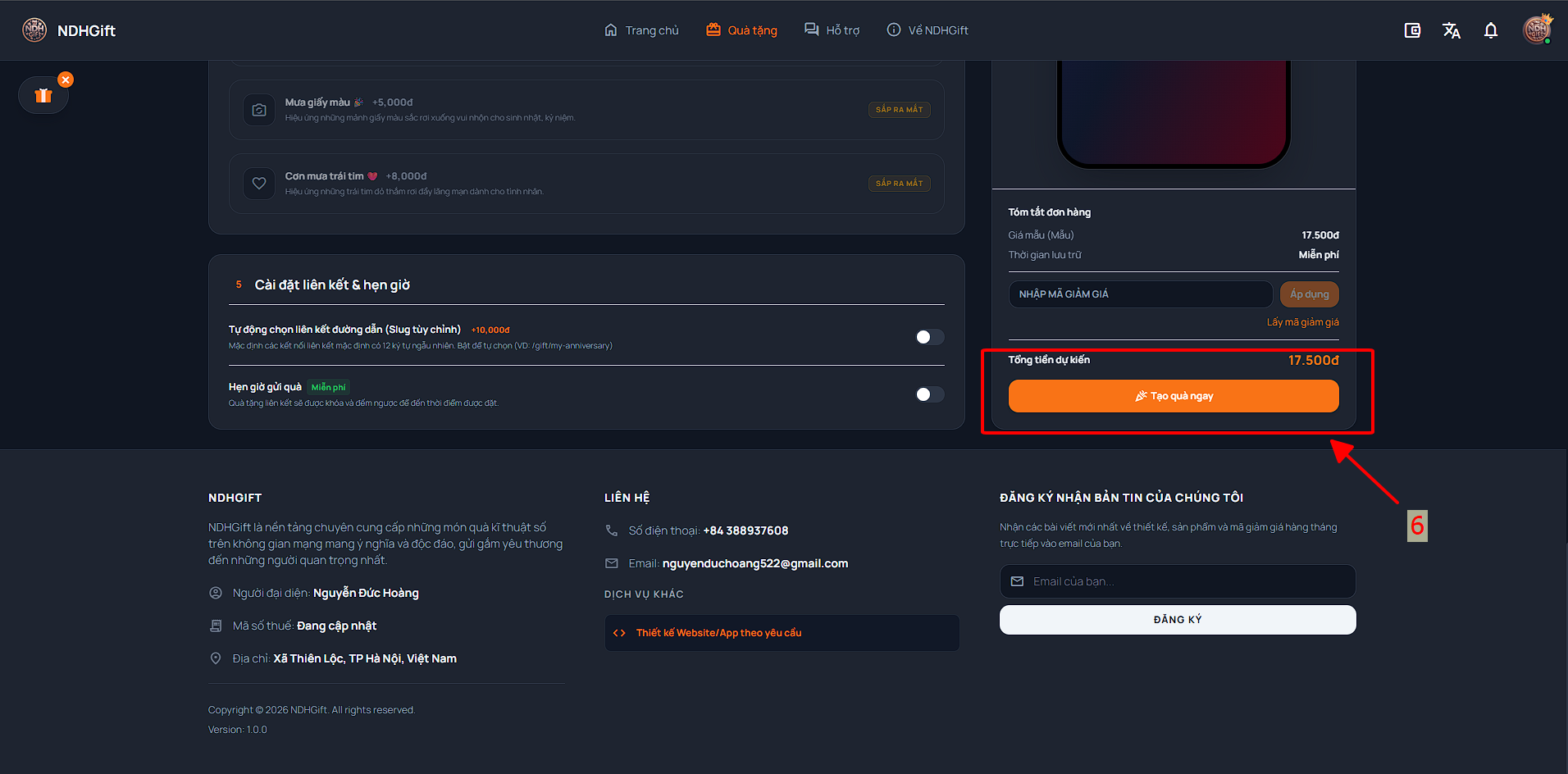
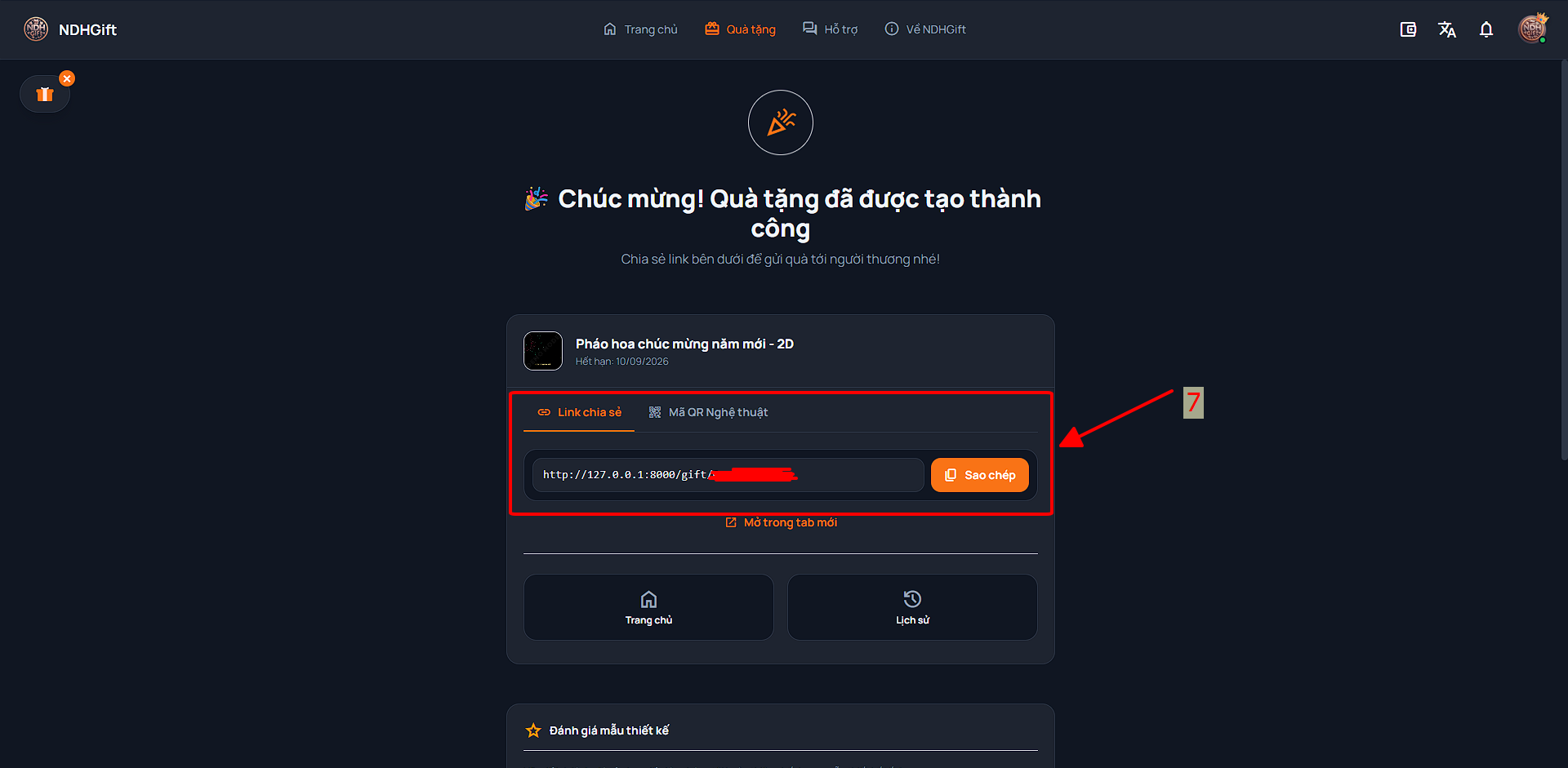
Once satisfied, you proceed to Pay with the balance in your wallet. Immediately after a successful transaction, the system will create a link (URL) and a custom QR. You just need to send the link or QR to the recipient and you're done!
Having trouble creating?
If there are any problems, don't hesitate to contact us for support.